The Samsung Galaxy A56 is a mid-range smartphone designed for people who want a modern display, capable cameras, dependable everyday performance, and long-term software support without paying flagship prices. However, a phone’s specification sheet does not always reveal how well it performs in daily use. Battery endurance, camera consistency, charging speed, and software behavior can matter just as much as processor performance.
Before buying the Samsung Galaxy A56, it is worth understanding what the device offers, where its limitations may appear, and how it compares with its predecessor, the Galaxy A55. This guide examines its main features, practical performance considerations, battery expectations, camera differences, and common issues buyers should know about.
Table of Contents
ToggleSamsung Galaxy A56: Key Features and Specifications
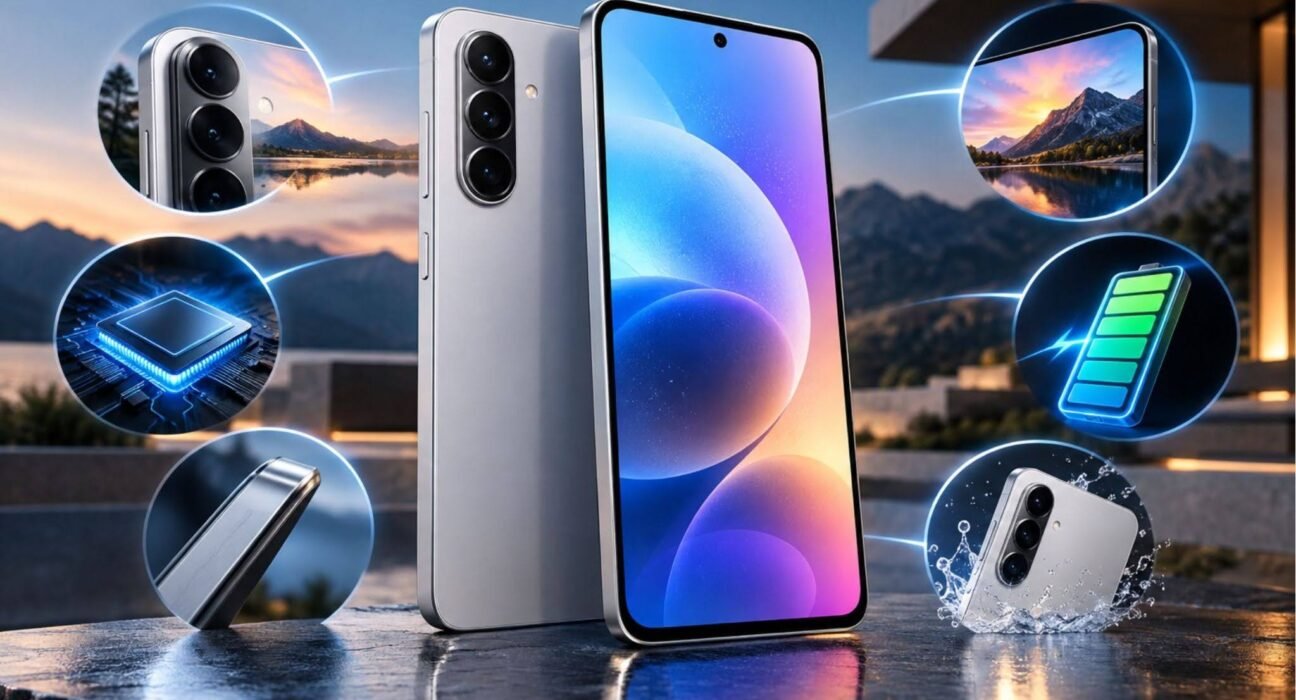
The Samsung Galaxy A56 5G combines a large AMOLED display with a 5G-capable processor, a multi-camera system, and a high-capacity battery. Its specifications make it suitable for everyday communication, social media, video streaming, photography, and many mobile games.
Here are the main specifications to consider:
- Display: 6.7-inch FHD+ Super AMOLED display with a 120Hz refresh rate.
- Processor: Samsung Exynos 1580.
- Rear cameras: 50MP main camera with optical image stabilization (OIS), 12MP ultrawide camera, and 5MP macro camera.
- Front camera: 12MP selfie camera.
- Battery: 5,000mAh.
- Charging: Up to 45W wired charging with a compatible charger.
- Connectivity: 5G, Wi-Fi, Bluetooth, and USB-C.
- Software: Launched with Android 15 and One UI 7.
- Durability: IP67-rated resistance to dust and water under specified test conditions.
Specifications and available configurations can vary by market. Buyers should confirm the exact RAM, storage, network-band compatibility, and charging accessories offered by their local retailer.
How Good Is the Samsung Galaxy A56 Display?
The Galaxy A56 features a 6.7-inch Super AMOLED display with a Full HD+ resolution and a 120Hz refresh rate. This combination is useful for people who spend considerable time watching videos, reading articles, browsing websites, or using social media.
AMOLED technology produces deep blacks and strong contrast because individual pixels can turn off when displaying black. As a result, movies and photographs can look more vivid than they do on many conventional LCD screens.
The 120Hz refresh rate also makes scrolling and supported animations appear smoother. Although this does not automatically make every application faster, it can improve the overall feeling of responsiveness.
The large display has a practical drawback: users who prefer compact phones may find the Galaxy A56 difficult to operate with one hand. Its size also makes it less convenient for smaller pockets.
For most people who prioritize screen quality over compact dimensions, the display is one of the phone’s most appealing features.
Samsung Galaxy A56 Performance: Is It Fast Enough?
Samsung uses the Exynos 1580 processor in the Galaxy A56. It is designed to handle everyday applications, multitasking, entertainment, and a range of mobile games.
For routine tasks such as messaging, web browsing, video calls, online shopping, and switching between social applications, the phone should offer a capable experience. Its performance is also suitable for users who edit photographs, manage documents, or occasionally play graphics-intensive games.
Gaming results depend on the title, graphics settings, ambient temperature, and length of each session. Demanding games may require reduced graphics settings to maintain consistent performance. Extended gaming can also generate heat and increase battery consumption.
RAM and storage configurations deserve attention before purchase. More RAM can help with multitasking, while sufficient internal storage is useful for photographs, videos, applications, and offline downloads. Check the local variant rather than assuming every Galaxy A56 offers the same configuration.
The phone is best viewed as a well-equipped mid-range device rather than a direct replacement for a premium gaming phone or flagship processor.
Samsung Galaxy A56 Battery Life Test: What Should You Expect?
The Galaxy A56 has a 5,000mAh battery, but capacity alone does not determine how long a phone lasts. Screen brightness, mobile signal strength, gaming, camera use, background applications, and refresh-rate settings all influence battery consumption.
A Samsung Galaxy A56 battery life test should therefore consider several types of use instead of relying on a single screen-on-time figure.
Everyday use
For a realistic assessment, use the phone for messaging, browsing, video streaming, photography, navigation, and occasional calls throughout the day. Record the remaining battery percentage at consistent intervals and repeat the test under similar conditions.
Light users may experience different results from people who stream videos for hours or regularly play demanding games. Weak mobile reception can also increase power consumption because the phone must work harder to maintain its connection.
Heavy use and gaming
Gaming, prolonged camera recording, and maximum screen brightness can drain the battery more quickly. Navigation with mobile data enabled may also consume considerable power, particularly during long journeys.
If battery endurance is a priority, test the phone with your typical applications and network conditions rather than relying entirely on laboratory results or online anecdotes.
Is 45W charging useful?
The Galaxy A56 supports up to 45W wired charging when used with a compatible charging setup. This can make topping up more convenient than slower charging systems.
However, maximum charging speed is not maintained throughout the entire charging process. Battery temperature, current charge level, cable, adapter compatibility, and charging settings affect the result. A compatible adapter may also need to be purchased separately, depending on the market and retailer.
Overall, the battery capacity and charging support are practical advantages, but real endurance should be judged by measured results under comparable conditions.
Samsung Galaxy A56 vs A55 Camera: What Has Changed?
The Samsung Galaxy A56 and Galaxy A55 both use a 50MP main rear camera with optical image stabilization. Both also include ultrawide and macro cameras, so the difference is not simply a matter of megapixels.
The Galaxy A56 has a 12MP ultrawide camera, compared with the Galaxy A55’s 12MP ultrawide camera. The macro camera remains 5MP on both devices. Their front cameras differ, with the A56 featuring a 12MP selfie camera and the A55 a 32MP selfie camera.
A higher megapixel count does not automatically produce better photographs. Image processing, sensor characteristics, lighting, lens quality, and stabilization all influence the final image.
Main camera performance
Both phones should be considered capable options for everyday photography. Optical image stabilization helps reduce blur caused by small hand movements, particularly in situations where the camera needs a longer exposure.
When comparing the two phones, take photographs in daylight, indoors, and at night. Examine skin tones, fine details, moving subjects, highlights, and shadow areas. These comparisons can reveal differences that specification tables do not show.
Ultrawide and macro photography
The ultrawide camera is useful for architecture, landscapes, group photographs, and scenes where the main camera cannot capture enough of the surroundings. Macro cameras are intended for close-up subjects, although their usefulness depends on lighting and focusing performance.
Selfies and video calls
The A55’s 32MP front camera has a higher resolution than the A56’s 12MP front camera. However, resolution alone does not settle which camera is better. Processing, exposure, skin tones, and video performance also matter.
Should A55 owners upgrade the camera? Not necessarily. If the existing A55 meets your photography needs, compare actual sample images before spending money on the newer model. Buyers choosing their first phone can focus on overall camera consistency rather than megapixel numbers alone.
Samsung Galaxy A56 Common Problems to Know About
The Galaxy A56 offers a capable collection of features, but buyers should understand the limitations that can affect everyday use. Not every user will encounter the same problems, and a reported issue does not necessarily indicate a widespread hardware defect.
1. Battery drain
Heavy gaming, high display brightness, background applications, and weak network reception can increase battery consumption.
If the battery drains unusually quickly, check battery usage in Settings, update applications, and review background activity. A recently updated phone may also need some time to settle after software optimization.
2. Charging speed and compatibility
Although the Galaxy A56 supports up to 45W wired charging, reaching that speed depends on using a compatible adapter and cable. Charging may slow as the battery approaches full capacity or if the device becomes warm.
If charging seems unusually slow, check the accessories, charging port, and battery temperature before assuming the phone is faulty.
3. Heating during demanding tasks
Some warmth is normal during gaming, extended video recording, navigation, or fast charging. Excessive heat, repeated performance slowdowns, or temperature warnings deserve closer attention.
Close demanding applications, avoid charging in direct sunlight, and remove heavy workloads if the phone becomes uncomfortably hot.
4. Software glitches and application issues
Occasional application crashes, delayed notifications, or interface glitches can result from software bugs, outdated applications, or incorrect settings. These symptoms should not automatically be treated as established Galaxy A56 defects.
Install available software updates, restart the device, and check application permissions and battery restrictions. If problems persist, consult Samsung support.
5. Storage limitations
The Galaxy A56 is available in different memory and storage configurations depending on the market. Since the phone does not offer a microSD card slot, choosing sufficient internal storage is particularly important.
Users who record many high-resolution videos or keep large offline media libraries should consider a higher-capacity model before purchasing.
Software Updates and Long-Term Support
Software support is an important consideration when buying a smartphone intended to last several years. Samsung advertises up to six generations of Android OS upgrades and six years of security updates for the Galaxy A56. The exact delivery schedule can depend on the device, region, and carrier.
The phone launched with Android 15 and One UI 7. Its software experience includes Samsung’s familiar interface, customization options, security features, and integration with the wider Galaxy ecosystem.
Long-term support can help extend a phone’s useful life by providing security improvements and new software features. However, buyers should not assume that every future feature will be available on every supported device.
For someone planning to keep a phone for several years, update support can be a meaningful advantage over choosing a device with a shorter support commitment.
Is the Samsung Galaxy A56 Worth Buying?
The Samsung Galaxy A56 is worth considering if you want a large AMOLED screen, everyday performance, 5G connectivity, a versatile camera setup, and an established software-support policy.
It is particularly suitable for students, professionals, and everyday users who spend time browsing, streaming, communicating, and taking photographs. Its display and overall feature set make it a practical option for general smartphone use.
However, the best choice depends on your priorities. Compact-phone users may prefer a smaller device, while serious mobile gamers should compare sustained performance and thermal behavior. Photography enthusiasts should evaluate actual camera samples rather than relying on megapixel counts.
Galaxy A55 owners should also consider whether the newer model offers enough improvements for their particular needs. A working phone that already performs well may not need replacing simply because a successor is available.
Before buying, compare local prices, warranty coverage, storage configurations, and the cost of a compatible charger. These details can affect the overall value more than a small difference in specifications.
FAQs
1. Is the Samsung Galaxy A56 good for everyday use?
Yes. Its AMOLED display, capable processor, 5G connectivity, and 5,000mAh battery make it suitable for everyday communication, browsing, video streaming, photography, and multitasking.
2. How long does the Samsung Galaxy A56 battery last?
Battery life depends on brightness, applications, network conditions, and usage habits. Samsung advertises up to 29 hours of video playback under its stated test conditions, but real-world results will vary.
3. Is the Samsung Galaxy A56 camera better than the A55 camera?
The A56 introduces camera-related improvements, including a 12MP front camera compared with the A55’s 32MP front camera. The rear camera resolutions remain similar, so real-world image quality should be compared across different lighting conditions.
4. Does the Samsung Galaxy A56 support fast charging?
Yes. It supports up to 45W wired charging with a compatible charging setup. Actual charging speeds vary, and the compatible adapter may be sold separately.
5. What should I check before buying the Samsung Galaxy A56?
Check the local price, RAM and storage configuration, warranty, network compatibility, charging accessories, and your preferred camera performance. If buying a used phone, inspect battery behavior, display condition, charging functionality, and repair history.
Final Verdict
The Samsung Galaxy A56 combines a large 120Hz AMOLED display, capable mid-range performance, a 5,000mAh battery, versatile cameras, and a substantial software-support commitment. These features make it a sensible option for users who want a balanced smartphone without moving to a flagship model.
Its value ultimately depends on the price available in your market and how well its features match your needs. Compare battery performance, camera samples, storage options, and any recurring issues reported for the specific device before making a purchase. For existing Galaxy A55 owners, upgrading makes the most sense when the newer model offers a meaningful improvement in the areas they use most.