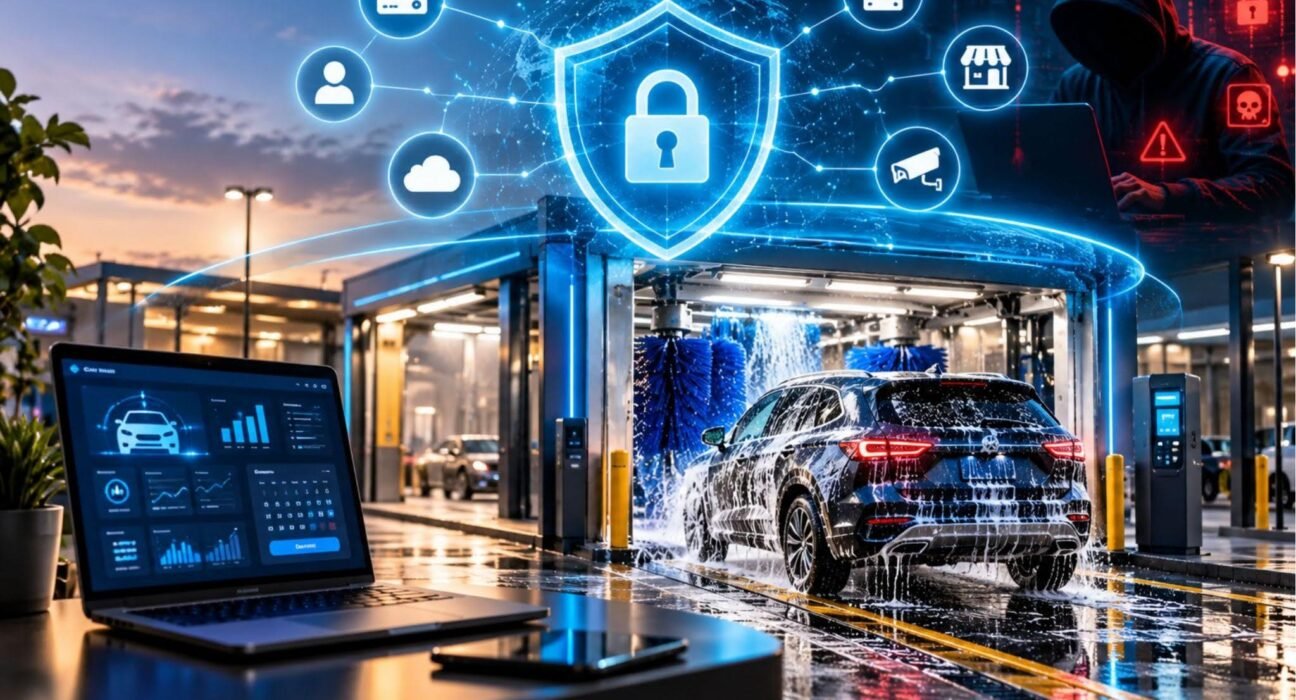
A modern car wash is no longer just brushes, water, and a payment kiosk. It is a connected business. Customers pay by card and phone, join unlimited wash clubs that bill them every month, and drive through tunnels controlled by networked equipment. Cameras watch the lot, and license plate readers may recognize members at the gate.
Every one of those connections is a possible way in for an attacker. Cyber security for a car wash business means protecting that whole ecosystem, so a phishing email or a weak password does not turn into stolen card data, a locked-up point-of-sale system, or a tunnel that will not run on a Saturday morning.
Table of Contents
ToggleWhat Is Cyber Security for a Car Wash Business?
Cybersecurity for a car wash business is the set of technical controls, policies, and habits that protect your digital systems and customer data from unauthorized access, misuse, and disruption.
For a car wash, that usually covers four areas:
- Payment systems: point-of-sale (POS) terminals, pay stations, card readers, and online checkout.
- Customer data: names, emails, phone numbers, vehicle details, and stored payment credentials for memberships.
- Operational technology (OT): tunnel controllers, conveyor and dryer controls, and other equipment that connects to a network.
- Business systems: email, accounting, scheduling, cloud dashboards, and the Wi-Fi that ties them together.
The goal is often summarized with the “CIA triad”: keeping data confidential, keeping it accurate and unaltered (integrity), and keeping systems available when you need them.
Why Car Washes Are Attractive Targets
Attackers rarely pick a car wash for its name. They pick it because it offers an easy, profitable opening. Several traits of the industry make that more likely:
- Lots of card transactions. Payment data has resale value, and payment devices are a long-standing target.
- Recurring billing. Membership programs mean stored customer data and predictable revenue an attacker can disrupt.
- Small IT teams. Many operators, especially single-site and small-chain owners, have no dedicated IT staff. Attackers tend to favor businesses that are less likely to have strong defenses.
- Mixed technology from many vendors. POS, controllers, cameras, and software often come from different suppliers, each with its own remote access and default settings.
- High cost of downtime. A tunnel that cannot process cars loses revenue by the hour, which is the pressure point ransomware operators exploit.
This is an assessment based on how attacks generally work, not a claim about a specific number of car wash incidents. For current industry-wide breach data, see the sources at the end of this article.
The Main Online Threats to a Car Wash
Ransomware
Ransomware encrypts your files and systems, then demands payment to restore them. If it reaches your POS server or back-office computer, you may be unable to take payments, look up members, or run reports. Paying does not guarantee you get your data back, and recovery from clean backups is almost always the safer path.
Payment Card Theft
Malware on a POS system or tampered card readers can capture card data. Weak network separation makes it worse: if the POS shares a network with guest Wi-Fi or office computers, a compromise anywhere can spread to payment systems.
Phishing and Business Email Compromise
Most attacks start with a person, not a machine. A convincing email pretending to be a supplier, bank, or software vendor can trick a manager into entering a password, as commonly happens in phishing schemes. The result may be stolen credentials or a wire transfer to the wrong account.
Attacks on Connected Equipment
Security researchers have publicly demonstrated that internet-connected wash equipment with poor protection can be reached remotely, which is a reminder that tunnel controllers are computers too. Equipment left on default passwords, exposed to the internet, or never updated is the weak point. You should verify current advisories for your specific equipment brands rather than assume a device is safe.
Weak or Reused Passwords
Shared logins on a POS terminal, reused passwords across vendor portals, and factory-default credentials on routers and cameras are among the most common and easily avoided problems.
Third-Party and Vendor Risk
Your POS vendor, membership software provider, and equipment installer may all have remote access to your systems. If one of them is breached, the attacker may reach you through that trusted connection.
Data Privacy Exposure
License plate recognition and membership databases hold personal information. Depending on where you operate, privacy and breach-notification laws may apply if that data is exposed.
How Cyber Security Protects Your Car Wash
Good security works in layers so that one failure does not become a disaster. Here is what each layer does in practice.
Prevents unauthorized access. Multi-factor authentication (MFA), unique passwords, and least-privilege accounts mean a stolen password alone is not enough to get in.
Limits the damage if something gets through. Network segmentation keeps payment systems, wash equipment, cameras, and guest Wi-Fi in separate zones, so an infection in one does not automatically reach the others.
Keeps you running. Tested backups and a basic recovery plan let you restore operations after ransomware or hardware failure instead of negotiating with criminals.
Protects customers and your reputation. Handling payment and personal data properly reduces fraud, chargebacks, and the trust damage that follows a breach.
Supports compliance. Following payment card and privacy requirements helps you avoid fines and avoidable contractual problems with your card processor.
Best Practices: A Practical Security Checklist
The steps below are recommendations based on widely used frameworks such as the NIST Cybersecurity Framework and the CIS Critical Security Controls. They are a starting point, not a guarantee of protection.
1. Secure Your Payment Environment
- Use payment terminals and processors that are PCI DSS compliant. Ask your processor which requirements apply to your business size.
- Prefer point-to-point encryption (P2PE) or tokenization solutions so card data is not stored on your own systems.
- Inspect card readers and pay stations regularly for signs of tampering.
- Never store full card numbers or security codes in spreadsheets, email, or notes.
2. Separate Your Networks
- Put POS and payment devices on their own network segment.
- Keep guest Wi-Fi completely separate from business systems.
- Isolate tunnel controllers, cameras, and other equipment from office computers where possible.
- Ask your vendors which ports and remote-access methods their equipment needs, and close everything else.
3. Fix Passwords and Turn On MFA
- Change every default password on routers, controllers, cameras, and software the day they are installed.
- Give each employee a unique login. Avoid shared accounts.
- Turn on MFA for email, banking, cloud dashboards, POS back offices, and any remote-access tool.
- Use a password manager so staff do not reuse or write down passwords.
4. Patch and Update
- Keep operating systems, POS software, routers, and firmware up to date.
- Replace equipment that no longer receives security updates.
- Keep an inventory of every connected device so nothing gets forgotten.
5. Control Remote and Vendor Access
- Require vendors to use individual, MFA-protected accounts rather than a shared login.
- Enable remote access only when needed, and turn it off afterward.
- Review your contracts for what the vendor is responsible for securing and how they notify you of a breach.
6. Back Up and Practice Recovery
- Keep regular backups of critical data, including at least one copy stored offline or in an immutable form that ransomware cannot alter.
- Test restoring from backup. An untested backup is an assumption, not a safeguard.
- Write a one-page incident plan: who to call, which systems to disconnect first, and how to contact your processor and insurer.
7. Train Your Team
- Teach staff to recognize phishing, fake invoices, and requests to change bank details.
- Give employees an easy way to report suspicious messages without fear of blame.
- Remove access immediately when someone leaves.
8. Consider Cyber Insurance
Cyber insurance can help cover response and recovery costs, but policies vary widely in what they cover and often require basic controls such as MFA and backups. Read the exclusions carefully and consult a licensed insurance professional.
Common Mistakes to Avoid
- Assuming a small business is too small to be targeted.
- Running POS and guest Wi-Fi on the same network.
- Leaving factory-default passwords on equipment.
- Giving vendors permanent, unmonitored remote access.
- Keeping backups on the same network as the systems they protect.
- Treating compliance paperwork as if it equals security.
- Having no plan for what to do in the first hour of an incident.
Real-World Application: A Typical Scenario
Consider a hypothetical three-location express tunnel operator with an unlimited membership program. This is an illustrative example, not a real case.
The operator’s manager receives an email that appears to come from the membership software provider, asking her to log in and confirm billing details. She enters her password on a fake page. Without MFA, the attacker signs in to the membership dashboard, exports customer records, and attempts to change payout details.
With layered protection, the story changes. MFA blocks the login even though the password was stolen. Because each person has an individual account, unusual activity is easier to spot. Payment systems sit on a separate network, so the compromise stays away from the tunnel and POS. Backups mean that even a worst-case ransomware event becomes a recovery task rather than a shutdown.
The point is that no single tool did the work. Small, inexpensive controls stacked together turned a serious incident into a minor one.
Compliance and Legal Considerations
Your obligations depend on your location, but a few frameworks commonly apply:
- PCI DSS: The Payment Card Industry Data Security Standard governs how businesses that accept card payments must protect cardholder data. Version 4.0.1 is the current version, and its future-dated requirements became mandatory on March 31, 2025. Confirm the specific requirements for your merchant level with your processor and the PCI Security Standards Council.
- Data breach notification laws: Many jurisdictions require businesses to notify affected individuals, and sometimes regulators, after certain data breaches.
- Privacy laws: If you collect personal data such as license plate images or contact details, privacy regulations may govern how long you keep it and how you disclose its use.
Laws change and vary by region, so consult a qualified legal or compliance professional for advice specific to your business.
Frequently Asked Questions
Why does a car wash need cybersecurity?
A car wash needs cyber security because it handles card payments, stores customer and membership data, and often relies on networked equipment. A breach can lead to fraud, downtime, fines, and lost customer trust. Even a small site is a realistic target because attackers often use automated tools that scan for weak systems regardless of business size.
What is the biggest cyber threat to a car wash?
There is no single biggest threat, but ransomware, payment card theft, and phishing are among the most realistic. Phishing is often the entry point that leads to the others. Because the exact mix varies by business, focus first on the basics: MFA, backups, network separation, and staff training.
Is a car wash required to be PCI compliant?
Yes, any business that accepts card payments is expected to comply with PCI DSS, through its agreement with its payment processor and card brands. The specific requirements depend on how many transactions you process and how you handle card data. Using validated, encrypted payment solutions can reduce your scope significantly.
Can car wash equipment be hacked?
Yes, networked controllers and other connected equipment can be vulnerable if they use default passwords, are exposed to the internet, or are not updated. Security researchers have publicly demonstrated attacks on connected wash systems. Reduce the risk by isolating equipment on its own network, restricting remote access, and applying manufacturer updates.
How can I protect my membership customers’ data?
Protect membership data by limiting who can access it, using MFA on all dashboards, choosing vendors that tokenize payment credentials, and collecting only the data you actually need. Review how long you keep records, and delete what you no longer require.
How much does cybersecurity cost for a small car wash?
Costs vary widely depending on the size of your operation and existing systems, so no honest single figure applies to everyone. Many of the most effective measures, including MFA, unique passwords, updates, staff training, and network separation, are low-cost or built into tools you already use. Get quotes from an IT provider for anything beyond the basics.
What should I do if my car wash is hacked?
Disconnect affected devices from the network, but do not wipe them before getting advice, since evidence may be needed. Contact your payment processor, IT provider, and cyber insurer. Change passwords from a clean device, restore from backups, and check breach-notification obligations. Reporting to national cybercrime authorities may also be appropriate in your country.
Do I need an IT specialist, or can I handle it myself?
You can handle the basics yourself, such as passwords, MFA, updates, and training. A qualified IT or security provider is worth engaging for network segmentation, vendor access reviews, PCI compliance questions, and incident response planning, especially if you operate multiple locations.
Conclusion
Cybersecurity for a car wash business is about protecting the things your revenue depends on: payments, memberships, customer trust, and uptime. You do not need an enterprise budget to make real progress.
Start with a practical first month: turn on MFA everywhere, change every default password, separate your POS and guest Wi-Fi, verify your backups actually restore, and train your staff to spot phishing. Then review vendor access and PCI requirements with your processor. Security is never “finished,” but steady, layered improvements make your business a much harder and less attractive target.
A modern car wash is no longer just brushes, water, and a payment kiosk. It is a connected business. Customers pay by card and phone, join unlimited wash clubs that bill them every month, and drive through tunnels controlled by networked equipment. Cameras watch the lot, and license plate readers may recognize members at the gate.
Every one of those connections is a possible way in for an attacker. Cyber security for a car wash business means protecting that whole ecosystem, so a phishing email or a weak password does not turn into stolen card data, a locked-up point-of-sale system, or a tunnel that will not run on a Saturday morning.
What Is Cyber Security for a Car Wash Business?
Cybersecurity for a car wash business is the set of technical controls, policies, and habits that protect your digital systems and customer data from unauthorized access, misuse, and disruption.
For a car wash, that usually covers four areas:
- Payment systems: point-of-sale (POS) terminals, pay stations, card readers, and online checkout.
- Customer data: names, emails, phone numbers, vehicle details, and stored payment credentials for memberships.
- Operational technology (OT): tunnel controllers, conveyor and dryer controls, and other equipment that connects to a network.
- Business systems: email, accounting, scheduling, cloud dashboards, and the Wi-Fi that ties them together.
The goal is often summarized with the “CIA triad”: keeping data confidential, keeping it accurate and unaltered (integrity), and keeping systems available when you need them.
Why Car Washes Are Attractive Targets
Attackers rarely pick a car wash for its name. They pick it because it offers an easy, profitable opening. Several traits of the industry make that more likely:
- Lots of card transactions. Payment data has resale value, and payment devices are a long-standing target.
- Recurring billing. Membership programs mean stored customer data and predictable revenue an attacker can disrupt.
- Small IT teams. Many operators, especially single-site and small-chain owners, have no dedicated IT staff. Attackers tend to favor businesses that are less likely to have strong defenses.
- Mixed technology from many vendors. POS, controllers, cameras, and software often come from different suppliers, each with its own remote access and default settings.
- High cost of downtime. A tunnel that cannot process cars loses revenue by the hour, which is the pressure point ransomware operators exploit.
This is an assessment based on how attacks generally work, not a claim about a specific number of car wash incidents. For current industry-wide breach data, see the sources at the end of this article.
The Main Online Threats to a Car Wash
Ransomware
Ransomware encrypts your files and systems, then demands payment to restore them. If it reaches your POS server or back-office computer, you may be unable to take payments, look up members, or run reports. Paying does not guarantee you get your data back, and recovery from clean backups is almost always the safer path.
Payment Card Theft
Malware on a POS system or tampered card readers can capture card data. Weak network separation makes it worse: if the POS shares a network with guest Wi-Fi or office computers, a compromise anywhere can spread to payment systems.
Phishing and Business Email Compromise
Most attacks start with a person, not a machine. A convincing email pretending to be a supplier, bank, or software vendor can trick a manager into entering a password, as commonly happens in phishing schemes. The result may be stolen credentials or a wire transfer to the wrong account.
Attacks on Connected Equipment
Security researchers have publicly demonstrated that internet-connected wash equipment with poor protection can be reached remotely, which is a reminder that tunnel controllers are computers too. Equipment left on default passwords, exposed to the internet, or never updated is the weak point. You should verify current advisories for your specific equipment brands rather than assume a device is safe.
Weak or Reused Passwords
Shared logins on a POS terminal, reused passwords across vendor portals, and factory-default credentials on routers and cameras are among the most common and easily avoided problems.
Third-Party and Vendor Risk
Your POS vendor, membership software provider, and equipment installer may all have remote access to your systems. If one of them is breached, the attacker may reach you through that trusted connection.
Data Privacy Exposure
License plate recognition and membership databases hold personal information. Depending on where you operate, privacy and breach-notification laws may apply if that data is exposed.
How Cyber Security Protects Your Car Wash
Good security works in layers so that one failure does not become a disaster. Here is what each layer does in practice.
Prevents unauthorized access. Multi-factor authentication (MFA), unique passwords, and least-privilege accounts mean a stolen password alone is not enough to get in.
Limits the damage if something gets through. Network segmentation keeps payment systems, wash equipment, cameras, and guest Wi-Fi in separate zones, so an infection in one does not automatically reach the others.
Keeps you running. Tested backups and a basic recovery plan let you restore operations after ransomware or hardware failure instead of negotiating with criminals.
Protects customers and your reputation. Handling payment and personal data properly reduces fraud, chargebacks, and the trust damage that follows a breach.
Supports compliance. Following payment card and privacy requirements helps you avoid fines and avoidable contractual problems with your card processor.
Best Practices: A Practical Security Checklist
The steps below are recommendations based on widely used frameworks such as the NIST Cybersecurity Framework and the CIS Critical Security Controls. They are a starting point, not a guarantee of protection.
1. Secure Your Payment Environment
- Use payment terminals and processors that are PCI DSS compliant. Ask your processor which requirements apply to your business size.
- Prefer point-to-point encryption (P2PE) or tokenization solutions so card data is not stored on your own systems.
- Inspect card readers and pay stations regularly for signs of tampering.
- Never store full card numbers or security codes in spreadsheets, email, or notes.
2. Separate Your Networks
- Put POS and payment devices on their own network segment.
- Keep guest Wi-Fi completely separate from business systems.
- Isolate tunnel controllers, cameras, and other equipment from office computers where possible.
- Ask your vendors which ports and remote-access methods their equipment needs, and close everything else.
3. Fix Passwords and Turn On MFA
- Change every default password on routers, controllers, cameras, and software the day they are installed.
- Give each employee a unique login. Avoid shared accounts.
- Turn on MFA for email, banking, cloud dashboards, POS back offices, and any remote-access tool.
- Use a password manager so staff do not reuse or write down passwords.
4. Patch and Update
- Keep operating systems, POS software, routers, and firmware up to date.
- Replace equipment that no longer receives security updates.
- Keep an inventory of every connected device so nothing gets forgotten.
5. Control Remote and Vendor Access
- Require vendors to use individual, MFA-protected accounts rather than a shared login.
- Enable remote access only when needed, and turn it off afterward.
- Review your contracts for what the vendor is responsible for securing and how they notify you of a breach.
6. Back Up and Practice Recovery
- Keep regular backups of critical data, including at least one copy stored offline or in an immutable form that ransomware cannot alter.
- Test restoring from backup. An untested backup is an assumption, not a safeguard.
- Write a one-page incident plan: who to call, which systems to disconnect first, and how to contact your processor and insurer.
7. Train Your Team
- Teach staff to recognize phishing, fake invoices, and requests to change bank details.
- Give employees an easy way to report suspicious messages without fear of blame.
- Remove access immediately when someone leaves.
8. Consider Cyber Insurance
Cyber insurance can help cover response and recovery costs, but policies vary widely in what they cover and often require basic controls such as MFA and backups. Read the exclusions carefully and consult a licensed insurance professional.
Common Mistakes to Avoid
- Assuming a small business is too small to be targeted.
- Running POS and guest Wi-Fi on the same network.
- Leaving factory-default passwords on equipment.
- Giving vendors permanent, unmonitored remote access.
- Keeping backups on the same network as the systems they protect.
- Treating compliance paperwork as if it equals security.
- Having no plan for what to do in the first hour of an incident.
Real-World Application: A Typical Scenario
Consider a hypothetical three-location express tunnel operator with an unlimited membership program. This is an illustrative example, not a real case.
The operator’s manager receives an email that appears to come from the membership software provider, asking her to log in and confirm billing details. She enters her password on a fake page. Without MFA, the attacker signs in to the membership dashboard, exports customer records, and attempts to change payout details.
With layered protection, the story changes. MFA blocks the login even though the password was stolen. Because each person has an individual account, unusual activity is easier to spot. Payment systems sit on a separate network, so the compromise stays away from the tunnel and POS. Backups mean that even a worst-case ransomware event becomes a recovery task rather than a shutdown.
The point is that no single tool did the work. Small, inexpensive controls stacked together turned a serious incident into a minor one.
Compliance and Legal Considerations
Your obligations depend on your location, but a few frameworks commonly apply:
- PCI DSS: The Payment Card Industry Data Security Standard governs how businesses that accept card payments must protect cardholder data. Version 4.0.1 is the current version, and its future-dated requirements became mandatory on March 31, 2025. Confirm the specific requirements for your merchant level with your processor and the PCI Security Standards Council.
- Data breach notification laws: Many jurisdictions require businesses to notify affected individuals, and sometimes regulators, after certain data breaches.
- Privacy laws: If you collect personal data such as license plate images or contact details, privacy regulations may govern how long you keep it and how you disclose its use.
Laws change and vary by region, so consult a qualified legal or compliance professional for advice specific to your business.
Frequently Asked Questions
Why does a car wash need cybersecurity?
A car wash needs cyber security because it handles card payments, stores customer and membership data, and often relies on networked equipment. A breach can lead to fraud, downtime, fines, and lost customer trust. Even a small site is a realistic target because attackers often use automated tools that scan for weak systems regardless of business size.
What is the biggest cyber threat to a car wash?
There is no single biggest threat, but ransomware, payment card theft, and phishing are among the most realistic. Phishing is often the entry point that leads to the others. Because the exact mix varies by business, focus first on the basics: MFA, backups, network separation, and staff training.
Is a car wash required to be PCI compliant?
Yes, any business that accepts card payments is expected to comply with PCI DSS, through its agreement with its payment processor and card brands. The specific requirements depend on how many transactions you process and how you handle card data. Using validated, encrypted payment solutions can reduce your scope significantly.
Can car wash equipment be hacked?
Yes, networked controllers and other connected equipment can be vulnerable if they use default passwords, are exposed to the internet, or are not updated. Security researchers have publicly demonstrated attacks on connected wash systems. Reduce the risk by isolating equipment on its own network, restricting remote access, and applying manufacturer updates.
How can I protect my membership customers’ data?
Protect membership data by limiting who can access it, using MFA on all dashboards, choosing vendors that tokenize payment credentials, and collecting only the data you actually need. Review how long you keep records, and delete what you no longer require.
How much does cybersecurity cost for a small car wash?
Costs vary widely depending on the size of your operation and existing systems, so no honest single figure applies to everyone. Many of the most effective measures, including MFA, unique passwords, updates, staff training, and network separation, are low-cost or built into tools you already use. Get quotes from an IT provider for anything beyond the basics.
What should I do if my car wash is hacked?
Disconnect affected devices from the network, but do not wipe them before getting advice, since evidence may be needed. Contact your payment processor, IT provider, and cyber insurer. Change passwords from a clean device, restore from backups, and check breach-notification obligations. Reporting to national cybercrime authorities may also be appropriate in your country.
Do I need an IT specialist, or can I handle it myself?
You can handle the basics yourself, such as passwords, MFA, updates, and training. A qualified IT or security provider is worth engaging for network segmentation, vendor access reviews, PCI compliance questions, and incident response planning, especially if you operate multiple locations.
Conclusion
Cybersecurity for a car wash business is about protecting the things your revenue depends on: payments, memberships, customer trust, and uptime. You do not need an enterprise budget to make real progress.
Start with a practical first month: turn on MFA everywhere, change every default password, separate your POS and guest Wi-Fi, verify your backups actually restore, and train your staff to spot phishing. Then review vendor access and PCI requirements with your processor. Security is never “finished,” but steady, layered improvements make your business a much harder and less attractive target.